
AI Tool Intelligence Report 2025–2026: Not All AI Is Created Equal
A no-fluff comparison of ChatGPT, Claude, Perplexity, Manus, Claude Code, Claude in Design, Gemini, and Microsoft Copilot — and how to choose the right tool for the right job. After 18 months embedded with organisations from boutique startups to major financial institutions, here's the definitive breakdown.
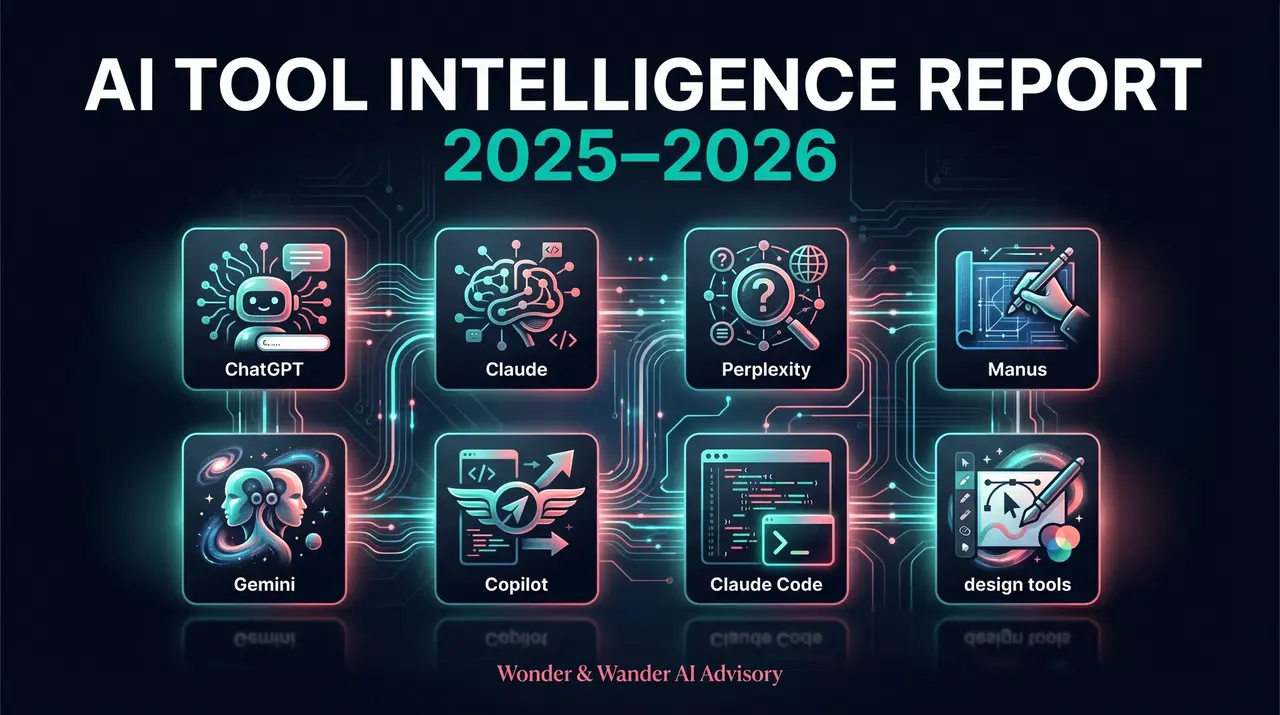
The question I get asked most by business leaders in 2025 isn't "should we use AI?" — it's "which one?" The market has exploded. Every week brings a new contender, a new capability, a new reason to feel overwhelmed. This guide cuts through the noise.
I've spent the last 18 months embedded with organisations ranging from boutique travel startups to major financial institutions, coaching them through their AI adoption journeys. What I've found is this: most businesses are either using one tool for everything (wrong), or paralysed by too many options (also wrong). The smart move is to understand what each tool is actually built for — and build a deliberate stack.
What follows is my most comprehensive breakdown to date. I've evaluated each tool across three lenses: functional (what can it actually do?), technical (how does it work under the hood?), and user experience (what do real people say about using it day to day?).
01 · ChatGPT — The Starter
The tool that started the mainstream AI moment OpenAI · GPT-4o / o1 / o3 · Est. Nov 2022
- 92/100 — CONVERSATIONAL FLUENCY
- 88/100 — MULTIMODAL CAPABILITY
- 90/100 — PLUGIN & TOOL ECOSYSTEM
- 82/100 — CONTEXT WINDOW ChatGPT is the Swiss Army knife of AI tools — and the one most people started with. The GPT-4o model (and the newer o1/o3 reasoning models) can handle text, images, voice, code, file analysis, web browsing, and data interpretation in one interface. Its Custom GPT ecosystem allows businesses to build lightweight AI agents tailored to specific workflows without any coding knowledge.
For businesses, ChatGPT shines in customer communications drafting, brainstorming, content repurposing, and accessible data analysis. The GPT store now houses thousands of pre-built assistants for specialised tasks. The new Projects feature allows threaded, contextual conversations across a body of work — a direct response to competitive pressure from Claude's own Projects feature.
CHATGPT PROFILE
★★★★★ Ease of Use · ★★★★☆ Writing Quality · ★★★★☆ Coding
Strengths: Widest public recognition and adoption · Excellent multimodal (image/voice/doc) handling · DALL-E integration for image generation · Massive plugin/GPT Store ecosystem · Consistent quality across everyday tasks · Voice mode is genuinely impressive
Weaknesses: Can be overly agreeable (sycophantic) · Tends toward verbosity and padding · Context memory between sessions is limited · Reasoning models (o1/o3) are slow · Cost-per-token adds up for enterprise · Data privacy concerns with training use
Best for: Teams new to AI adoption · Customer-facing content at scale · Image creation alongside text · Voice-based workflows · GPT Store integrations
Technical note: GPT-4o uses a native multimodal architecture — it processes text, audio, and images in a single model. The o1 and o3 series use chain-of-thought reasoning, spending more tokens 'thinking' before responding. Context window sits at 128k tokens for GPT-4o.
"ChatGPT is the office copier of AI tools — everyone knows where it is, everyone knows how to use it, and it gets the job done. But power users have mostly moved on to something with more precision." — Feedback from AI adoption workshop, Melbourne, 2025
02 · Claude — The Thinker
The thoughtful writer, the careful reasoner, the honest collaborator Anthropic · Sonnet 4.6 / Opus 4.6
- 96/100 — LONG DOCUMENT COMPREHENSION
- 97/100 — NUANCED WRITING
- 95/100 — SAFETY & ACCURACY
- 94/100 — CONTEXT RETENTION Claude is, in my professional opinion, the most human-like AI in terms of communication quality. Built on Anthropic's Constitutional AI framework — designed with safety-first principles from the ground up — Claude produces prose that doesn't read like it was generated by a machine. For strategic documents, leadership communications, research synthesis, and nuanced analysis, it stands alone.
Claude's extended context window (200k tokens in Opus) means it can hold an entire book, legal document, or business strategy in memory during a single session. Projects allow persistent context across conversations — meaning Claude remembers who you are, what you've built together, and what you care about. For AI coaching clients, this has been transformative for continuity of thinking.
The current Claude 4.6 family includes Sonnet (fast, efficient, everyday powerhouse) and Opus (deep reasoning, complex tasks). The new computer use capabilities mean Claude can now browse, click, and operate software autonomously — blurring the line between assistant and agent.
CLAUDE PROFILE
★★★★★ Writing Quality · ★★★★★ Long-form Reasoning · ★★★★★ Honesty
Strengths: Best-in-class long-form writing quality · 200k context window (Opus) · Refuses to flatter — gives honest feedback · Deep reasoning on complex documents · Projects for persistent memory · Strong ethical framework baked in · Excellent for sensitive communications
Weaknesses: No native image generation · Smaller plugin/integration ecosystem · Can be overly cautious on edge cases · Voice mode less polished than GPT · Smaller user community (fewer tutorials)
Best for: Executive and leadership communications · Strategy documents and frameworks · Research synthesis and analysis · Anything requiring nuance and honesty · AI coaching and personal development · Legal and compliance drafting
"I switched from ChatGPT to Claude for my client proposals and the quality difference was immediately visible to my clients. Claude doesn't just write — it thinks. And it tells me when my idea is bad, which ChatGPT never did." — Sarah Pirie-Nally, Wonder & Wander AI Advisory
03 · Perplexity — The Researcher
The AI search engine that cites its sources Perplexity AI · Pro Plan available
- ★★★★★ — REAL-TIME SEARCH
- ★★★★★ — SOURCE CITATIONS
- ★★★☆☆ — WRITING QUALITY
- ★★★☆☆ — DEPTH OF ANALYSIS Perplexity is a fundamentally different beast from the generative AI tools above — it's an AI-powered search engine, not a language model interface. Every response pulls from live web sources and cites them inline. Think of it as a smarter, more conversational version of Google rather than a creative collaborator.
For business intelligence, competitive research, market monitoring, and fact-verification, Perplexity is the tool I recommend to clients first. It's ideal for the research phase of any project. Its Spaces feature allows teams to create shared research environments with curated sources and institutional knowledge.
PERPLEXITY PROFILE
Real-time web · Fact-checking · Competitor monitoring
Strengths: Real-time web access with citations · Excellent for competitive intelligence · Transparent sourcing — you can verify · Daily Digest for market monitoring · Spaces for team research hubs · Genuinely fast at answering factual questions
Weaknesses: Not built for creative writing or strategy · Can miss nuance — searches, doesn't think · Dependent on what's indexed online · Less useful for internal knowledge work · Responses lack editorial voice
Best for: Research phase of any project · Competitive and market monitoring · Fact-checking AI outputs from other tools · Industry news aggregation
"I use Perplexity every morning before touching ChatGPT or Claude. It tells me what's happening in my sector right now. Then I take that into Claude to synthesise and strategise." — Client feedback, The Flights Club advisory engagement
04 · Manus AI — The Pioneer
The autonomous agent that does tasks, not just answers Monica · China-based team · 2025
- ★★★★★ — AUTONOMOUS TASK EXECUTION
- ★★★★☆ — MULTI-STEP WORKFLOWS
- ★★★☆☆ — RELIABILITY
- ★★★☆☆ — TRANSPARENCY Manus arrived in early 2025 to significant fanfare — and significant scepticism. Unlike every other tool on this list, Manus doesn't just respond to prompts. It takes actions: browsing websites, writing and executing code, creating files, filling forms, booking things. It's the first consumer-facing agentic AI that actually works as advertised (mostly).
From a business lens, Manus represents the next frontier of AI adoption — moving from AI as a conversational assistant to AI as an operational agent. Early use cases have shown promise in research compilation, market reports, data collection workflows, and even travel booking. The caveats are real though: reliability is inconsistent, the "black box" nature of its actions creates oversight challenges, and data sovereignty questions remain unresolved for enterprise use.
MANUS AI PROFILE
Autonomous agents · Multi-step tasks · Web automation
Strengths: True autonomous multi-step task execution · Combines search, write, code, browse in one flow · Impressive research report generation · Can operate browser interfaces autonomously · Novel — nothing quite like it (yet)
Weaknesses: Inconsistent reliability on complex tasks · Hard to supervise — 'black box' actions · Data privacy questions unresolved · China-based — enterprise compliance risk · Still early — rough around the edges · No persistent memory between sessions
Best for: Experimental agentic workflows · Batch research and report generation · Low-stakes automation tasks · Innovation teams willing to supervise
⚠️ Advisory note: For enterprise clients, I recommend treating Manus as a 'watch and learn' technology in 2025. Don't feed it sensitive data or grant it access to core business systems without a robust oversight framework. The autonomous nature is its strength and its risk.
05 · Claude Code — The Engineer
Agentic coding in your terminal — without the IDE handholding Anthropic · CLI tool · 2025
- ★★★★★ — CODE QUALITY
- ★★★★★ — AGENTIC AUTONOMY
- ★★★☆☆ — EASE OF SETUP
- ★★☆☆☆ — NON-DEV ACCESSIBILITY Claude Code is a command-line tool that turns Claude into an autonomous software development agent. Rather than asking Claude for code snippets and copying them into your editor, Claude Code can read your entire codebase, write and edit files directly, run terminal commands, execute tests, and iterate on bugs — all from your terminal.
This is the tool that gets experienced developers genuinely excited. It's not a chatbot with code output — it's a peer programmer that understands your whole project's context. It can handle tasks like "refactor this entire module to use the new API", "set up the test suite for these components", or "trace the bug in the authentication flow and fix it". The quality of output is remarkably high because it's backed by Claude Opus/Sonnet's best reasoning abilities applied directly to code.
CLAUDE CODE PROFILE
Agentic coding · CLI automation · Codebase understanding
Strengths: Full codebase context, not just snippets · Autonomous file read/write/execute · Exceptional reasoning on complex bugs · Works with any language or framework · Ideal for experienced dev teams
Weaknesses: Terminal-only — not beginner-friendly · Requires Node.js and API key setup · Can be expensive (token-heavy tasks) · Needs human oversight for destructive ops · No visual/UI feedback during execution
Best for: Senior developers and engineering leads · Large codebase refactoring projects · Test generation and debugging · DevOps and automation scripting · Technical co-founders building fast
"Claude Code wrote a full integration test suite for a legacy module that our team had been avoiding for two years. It read the codebase, understood the edge cases, and wrote better tests than we would have. In two hours." — Engineering lead feedback, enterprise AI pilot, 2025
06 · Claude in Design — The Creator
AI creative intelligence embedded in your creative tools Anthropic · Integrated with Canva, Excel, PowerPoint · 2025
- ★★★★★ — DESIGN + AI INTEGRATION
- ★★★★★ — EASE FOR NON-CODERS
- ★★★★☆ — OUTPUT QUALITY
- ★★★☆☆ — CREATIVE AUTONOMY Anthropic has positioned Claude not just as a standalone chat interface but as an embedded intelligence across creative and productivity tools. This manifests in several distinct product forms: Claude in Canva (graphic design AI), Claude in Excel (spreadsheet analysis and automation), Claude in PowerPoint (presentation generation and refinement), and the web-based Claude.ai interface which can create rich visual artifacts directly in-chat.
For non-technical users, this is where Claude becomes genuinely democratising. A marketing manager with no design background can now describe a presentation they need and have Claude structure the narrative, suggest slide content, and even draft copy — all within familiar tools they already use. The quality differential over generic AI design tools is Claude's communication intelligence — it understands what makes a story land, not just what makes a slide look nice.
The artifact system within Claude.ai is particularly notable — it can generate interactive HTML dashboards, SVG diagrams, data visualisations, and styled documents directly within the chat interface, then export them for use.
CLAUDE + DESIGN PROFILE
Design automation · Content creation · Presentation writing
Strengths: Narrative intelligence — not just aesthetics · Accessible to non-technical users · Interactive artifact generation in-chat · Deep integration with Canva's template library · Can convert briefs to decks end-to-end · Excellent for client-facing document quality
Weaknesses: Not a visual designer — no illustration AI · Canva integration still maturing · Limited control over visual aesthetics · Dependent on user's prompt quality
Best for: Marketing and communications teams · Client presentations and proposals · Executive briefings and reports · Non-designers needing polished output · AI coaches and consultants
07 · Google Gemini — The Google Native
Google's AI — at its best inside Google Workspace Google DeepMind · Gemini 2.0 Ultra
- ★★★★★ — WORKSPACE INTEGRATION
- ★★★★★ — MULTIMODAL REASONING
- ★★★☆☆ — STANDALONE WRITING
- ★★★☆☆ — PRIVACY TRUST Gemini's killer use case is living inside Google Docs, Sheets, Slides, and Gmail. For organisations already on Google Workspace, Gemini Ultra (now called Gemini Advanced) delivers AI capabilities embedded directly in the tools staff use every day — no context-switching required. The 1 million token context window is genuinely industry-leading for document analysis.
Where Gemini falls short is as a standalone thinking partner. Responses can feel more transactional than Claude's, and less creative than GPT-4o's. But for summarising emails, generating meeting notes, analysing data in Sheets, and drafting in Docs — the integration advantage is hard to beat.
GEMINI PROFILE
Google ecosystem · Multimodal · Research
Strengths: 1M token context window (Ultra) · Native Google Workspace embedding · Excellent at multimodal analysis · Strong video understanding · Deep Search integration
Weaknesses: Writing quality trails Claude and GPT · Privacy concerns — Google data use · Confusing product naming history · Less consistent on nuanced tasks
Best for: Google Workspace heavy organisations · Email and meeting automation · Video and multimedia analysis · Long document processing
08 · Microsoft Copilot — The Enterprise Safe Bet
Enterprise AI in the Microsoft ecosystem — powerful with caveats Microsoft · Powered by GPT-4o + Bing
- ★★★★★ — M365 INTEGRATION
- ★★★★★ — ENTERPRISE SECURITY
- ★★★☆☆ — CREATIVITY
- ★★★☆☆ — VALUE FOR MONEY Microsoft Copilot is the enterprise play — built for organisations with existing Microsoft 365 licensing, Teams infrastructure, and SharePoint knowledge bases. Its compliance controls, data residency options, and Azure AD integration make it the safest choice for highly regulated industries (banking, government, healthcare). It's powered by OpenAI's models but wrapped in Microsoft's enterprise security fabric.
The limitation: it's built to fit in, not to stand out. Copilot follows your existing workflows rather than reimagining them. For genuinely creative or strategically ambitious AI work, it's not the tool — but for enterprise-wide adoption with governance guardrails, it's often the right starting point.
COPILOT PROFILE
Microsoft 365 · Enterprise · GitHub integration
Strengths: Enterprise-grade security and compliance · Deep M365 / Teams embedding · SharePoint and internal knowledge access · GitHub Copilot for dev teams · Existing license bundling potential
Weaknesses: Subscription costs can be expensive at scale · Creative quality lower than GPT/Claude · Requires strong M365 foundation to shine · Rollout complexity in large enterprises
Best for: Regulated enterprise environments · Microsoft-native organisations · Developer teams using GitHub · Governance-first AI programmes
09 · The Showdown — Head-to-Head
Eight tools, nine dimensions. Here's the truth without the marketing.
| TOOL | REAL-TIME WEB | IMAGE GEN | LONG CONTEXT | CODE (AGENTIC) | PRIVACY-SAFE |
|---|---|---|---|---|---|
| 🤖 ChatGPT OpenAI | ✓ Yes | ✓ DALL-E | △ 128k | △ Limited | △ Review req. |
| 🧠 Claude Anthropic | ✓ Yes | ✗ No | ✓ 200k | ✓ via Code | ✓ Strong |
| 🔍 Perplexity Perplexity AI | ✓ Native | ✗ No | ✗ Limited | ✗ No | ✓ Strong |
| ⚡ Manus AI Monica | ✓ Yes | ✗ No | △ Limited | ✓ Agentic | ✗ Review req. |
| >_ Claude Code Anthropic | ✓ Yes | ✗ No | ✓ Full | ✓ Full | ✓ Strong |
| ✦ Claude + Design Anthropic | ✓ Yes | △ via Canva | ✓ Yes | ✗ No | ✓ Strong |
| 💎 Gemini Google | ✓ Yes | ✓ Imagen | ✓ 1M tokens | △ Limited | △ Google data |
| 🏢 MS Copilot Microsoft | ✓ Bing | ✓ Designer | △ Limited | ✓ GitHub | ✓ Enterprise |
10 · The Verdicts
If I had one recommendation per tool, this is it.
TOOL VERDICTS
Which tool, when — and when to skip it
My team is new to AI and needs the lowest barrier to entry
USE CHATGPT — The Starter
Use it when your team is new to AI and needs the lowest barrier to entry, or you need voice interaction and image generation in one tool. Skip it when you need precision, honesty, or deep strategic reasoning.
Quality of output matters — this will be seen by clients
USE CLAUDE — The Thinker
Use it when quality of output matters. Anything that will be seen by clients, stakeholders, or the public. Any task requiring genuine nuance. Skip it when you need image generation or are heavily image-first.
I need current, verified information with sources
USE PERPLEXITY — The Researcher
Use it when you need current, verified information with sources. Market monitoring, competitive intel, fact-checking. Skip it when you need writing, strategy, or creative output.
I want to experiment with autonomous AI agents
USE MANUS AI — The Pioneer
Use it when you're experimenting with autonomous agents and can supervise output. Low-stakes research tasks. Skip it when data security matters or tasks require reliability.
My dev team needs agentic coding capability
USE CLAUDE CODE — The Engineer
Use it when your dev team needs agentic coding capability. Legacy refactoring, test generation, complex debugging. Skip it when you're not a developer — not the tool for you (yet).
My marketing team needs polished output without a designer
USE CLAUDE + DESIGN — The Creator
Use it when marketing, comms, or strategy teams need beautiful, intelligent output without a designer. Skip it when you need pure graphic illustration or brand-heavy visual design.
Our organisation lives in Google Workspace
USE GEMINI — The Google Native
Use it when your org lives in Google Workspace and you want seamless AI-in-the-flow-of-work. Skip it when you want a creative thinking partner or privacy is paramount.
We're in a regulated industry and need governance-first AI
USE COPILOT — The Enterprise Safe Bet
Use it when you're in a regulated industry and need governance-first AI adoption across Microsoft 365. Skip it when budget is tight — and you want creative output.
My Honest Take
The organisations winning with AI in 2025 aren't the ones who found "the best tool." They're the ones who built a deliberate stack — using Perplexity to research, Claude to think and write, ChatGPT or Gemini for everyday volume, and Claude Code or Manus for automation. No single tool does everything well. And anyone who tells you otherwise is selling something.
The deeper truth? The tool matters far less than the quality of your prompting, the clarity of your intent, and your willingness to iterate. I've seen brilliant outputs from ChatGPT and mediocre outputs from Claude — because the user's input determined the output.
What I help my clients build isn't just AI literacy — it's AI wisdom. Knowing which tool to reach for, when to trust the output, and when to push back. That's the skill that compounds. The tools will keep changing. The wisdom is yours to keep.
BUILD YOUR DELIBERATE AI STACK
How to approach tool selection in your organisation
- Start with use cases, not tools. Map the tasks your team does most often. Then find the tool that fits — not the other way around.
- Build a core stack of 2–3 tools. Most teams need a researcher (Perplexity), a thinker/writer (Claude), and a generalist (ChatGPT or Gemini). Start there.
- Add specialist tools as needed. Claude Code for dev teams. Copilot for Microsoft-heavy enterprises. Manus for experimental automation. Layer in, don't replace.
- Invest in prompt quality. The tool is only as good as the brief. Run internal prompt training. Share what works. Build a prompt library.
- Review your stack every 6 months. This market moves fast. What's best today may not be best in six months. Build in a review cadence — and use this report as your benchmark.
Sarah Pirie-Nally · Wonder & Wander AI Advisory · sarahpirienally.com
AI Coach · Keynote Speaker · Seven-time author of The Wonder Mindset